Take back your attention.
ScreenLimit puts a short pause between the impulse and the app, so you choose what happens next. Gentle when you want it, firm when you need it.
Free to start · No account needed · Your data stays on your phone
You open it before you’ve decided to.
Not because you lack willpower. Most phone use is habit: the hand is faster than the thought. ScreenLimit gives the thought a moment to catch up.
- 23:47, in bed One more video turns into forty minutes.
- Studying You meant to check one message.
- The AI reflex You ask before you’ve even thought.
A moment between impulse and action.
-
Choose your apps
Instagram, TikTok, YouTube, whatever pulls you in.
-
Open them as usual
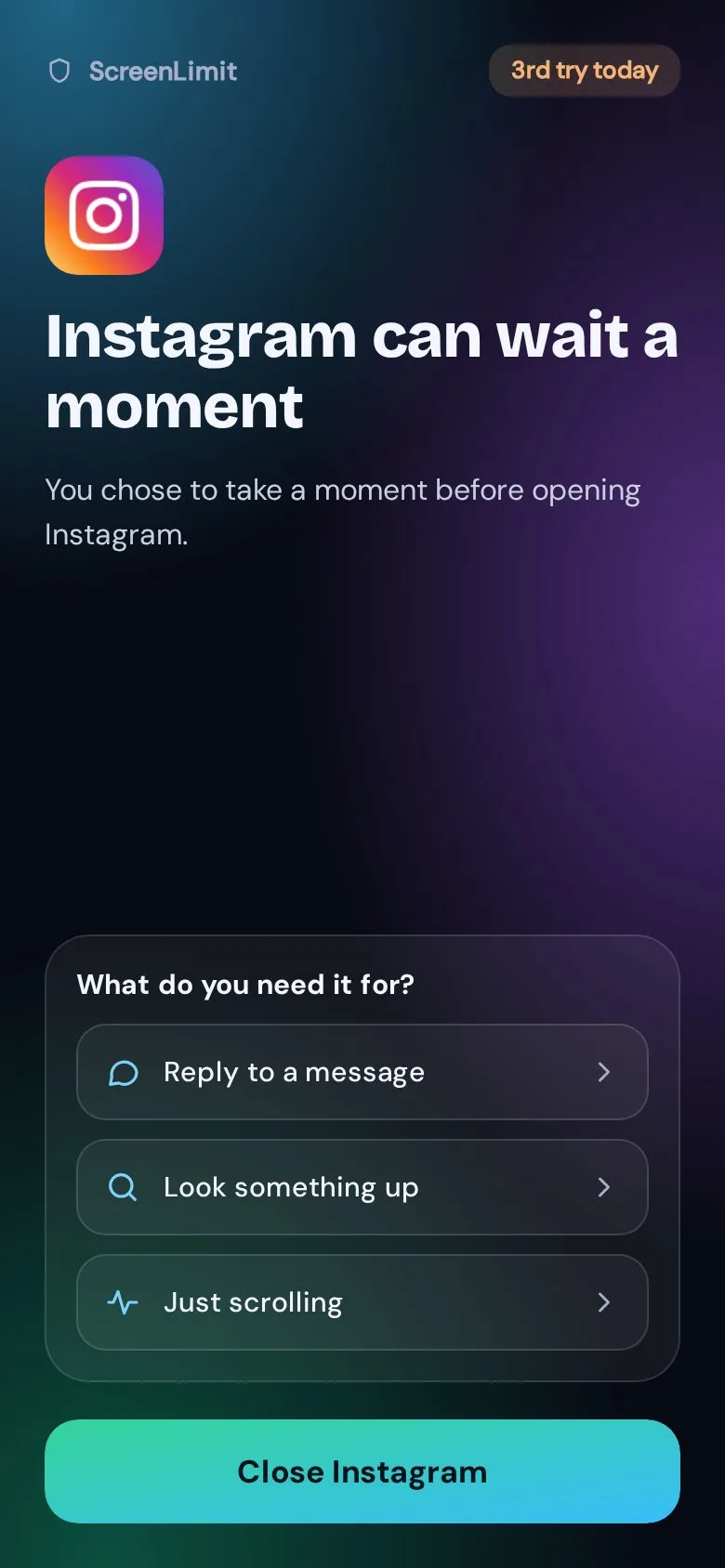
ScreenLimit notices and steps in with a short pause.
-
You choose
Close it, or continue for 5, 10 or 15 minutes. No lectures.
Stuck in the scroll? It steps in.
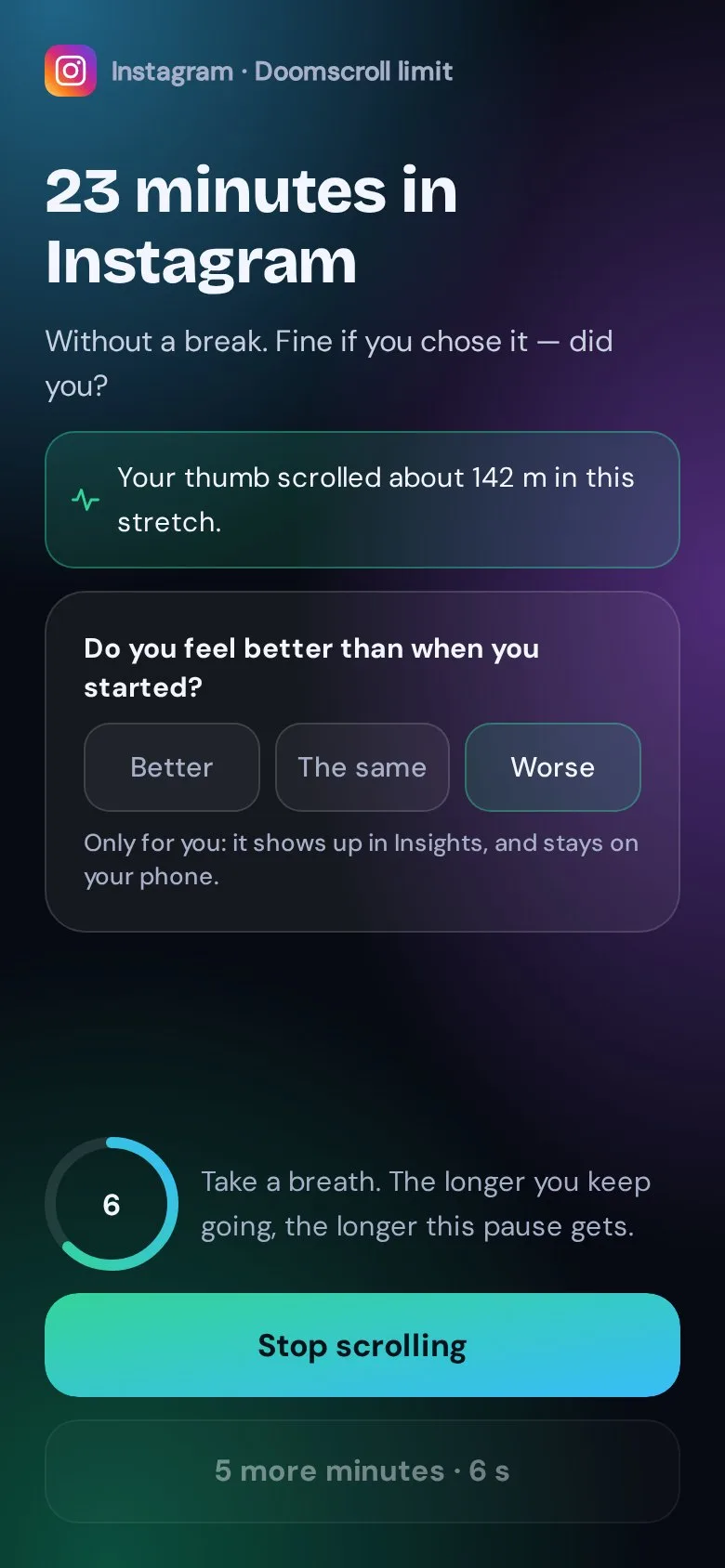
After 15 minutes of scrolling without a break, a pause opens right inside the app. Keep going and the next one lasts a little longer. It never blocks: carrying on is always possible.
- A little longer each time 8, then 16, then 24 seconds to breathe before “5 more minutes”.
- One honest question Do you feel better than when you started? Your answers stay on your phone.
- Sooner at night After 22:00 the pause comes after 8 minutes, on a dark screen.
- A scroll meter See how far your thumb went, in meters. It also tells scrolling from watching: a long video or podcast never gets a pause.
- A screen that dims Keep going and the screen slowly gets darker and warmer. Premium.
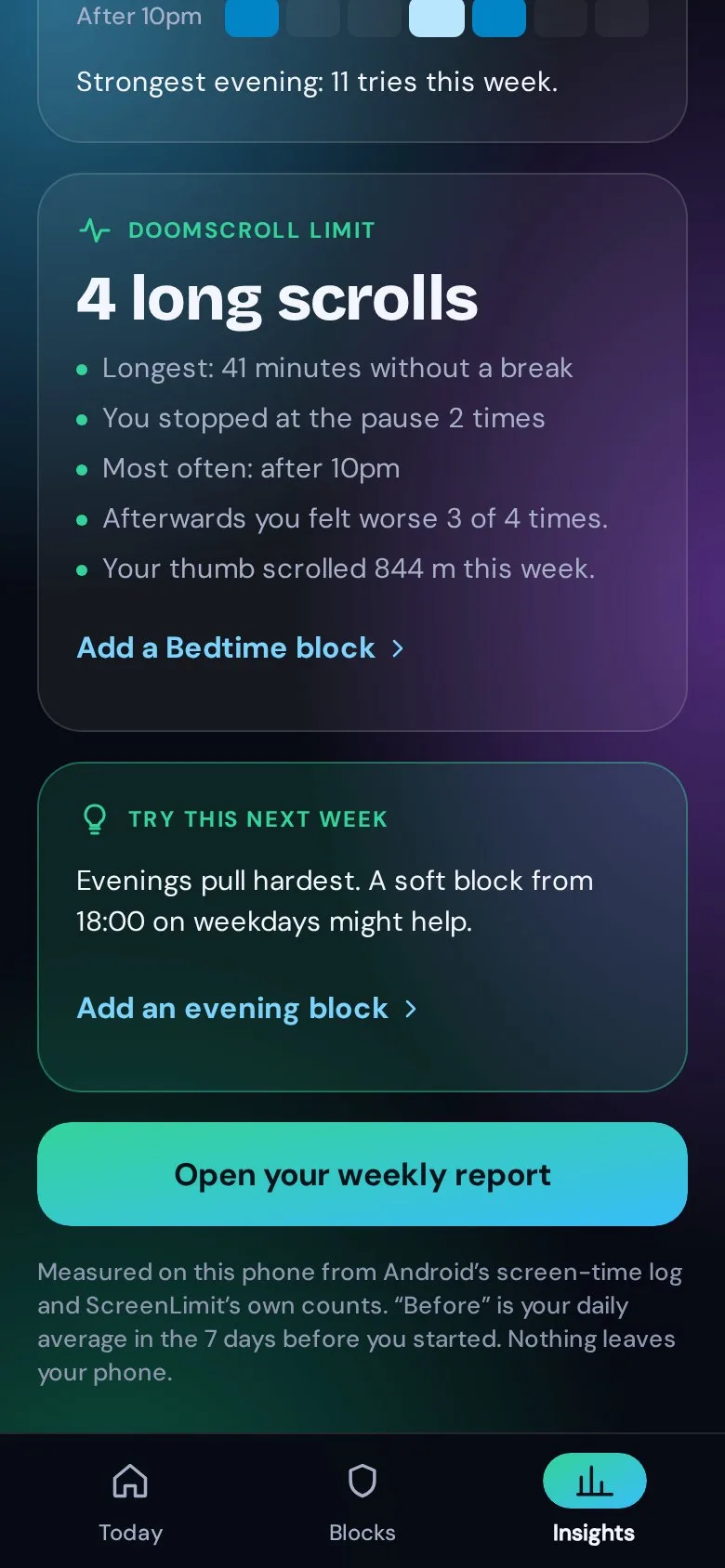
- Your pattern When you get stuck, for how long, and how it felt, in Insights.
As gentle, or as firm, as you need.
Start with a pause. Add blocks for the hours that matter. When you really mean it, switch on Strict mode. You decide how far it goes.
- Pause A short pause before the app opens. Close it, or continue for 5, 10 or 15 minutes. Free
- Focus now One tap and your apps rest for a while. You can stop early. Free up to 25 min
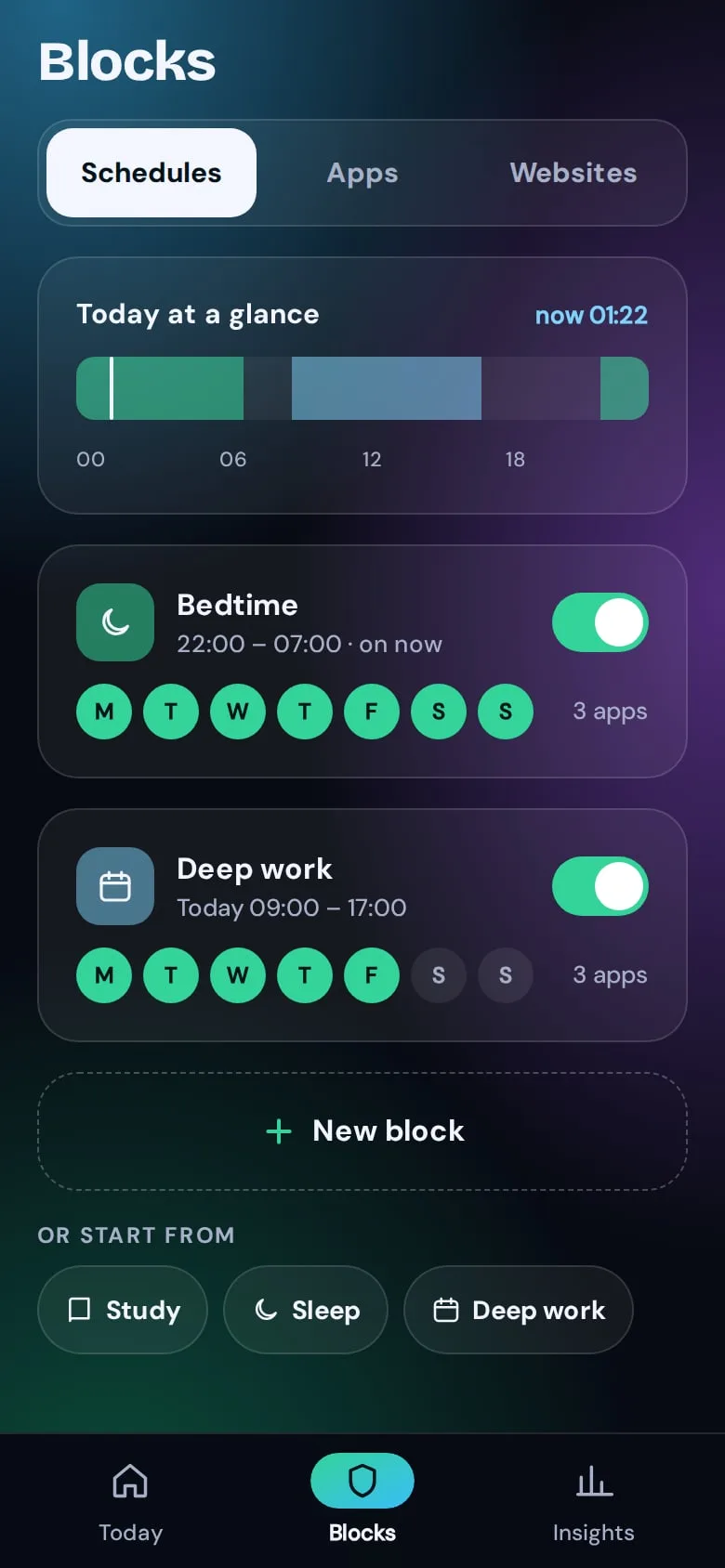
- Scheduled blocks Bedtime, study, deep work: blocks that start on their own. 1 free
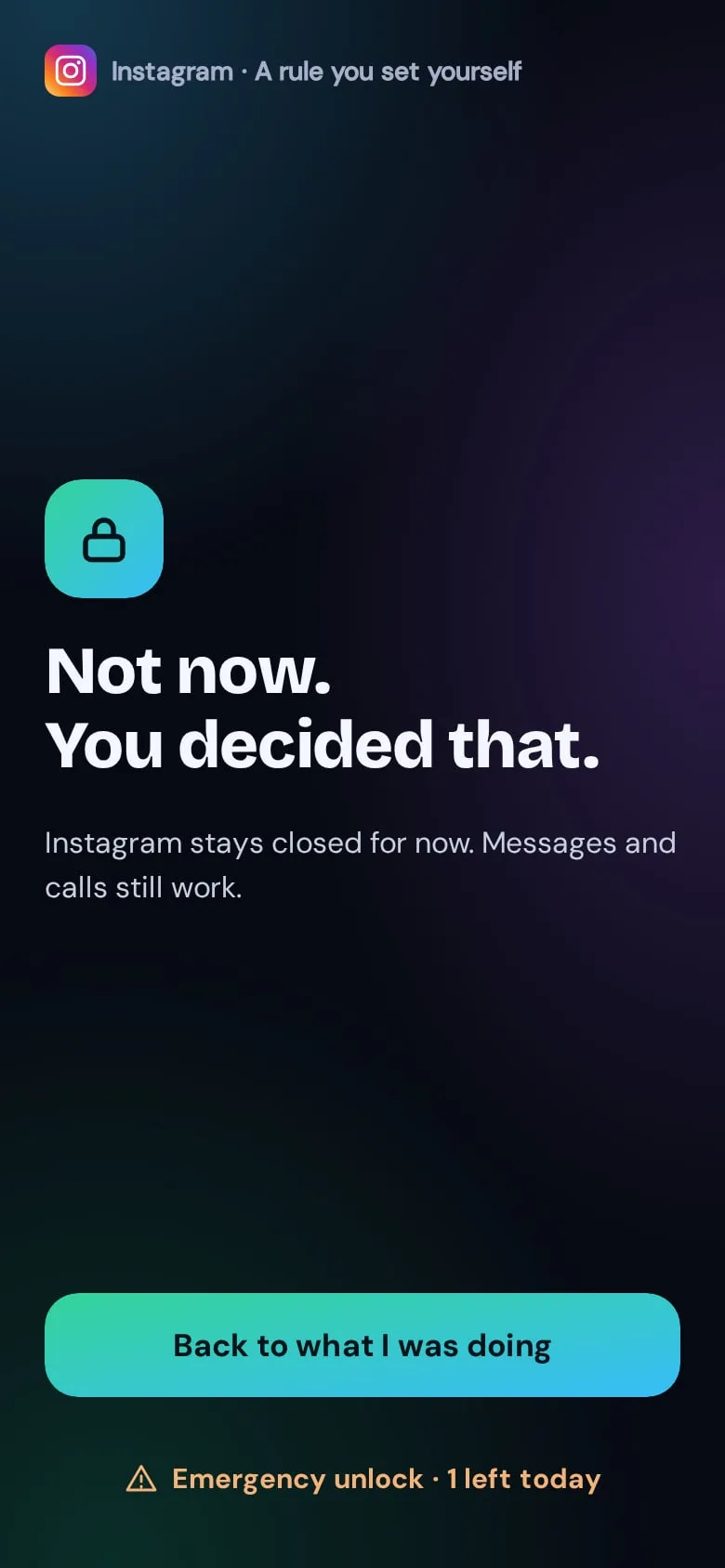
- Strict mode A block you can’t stop halfway. One emergency unlock a day. Premium
- Websites The same blocks for sites in your browser. Premium
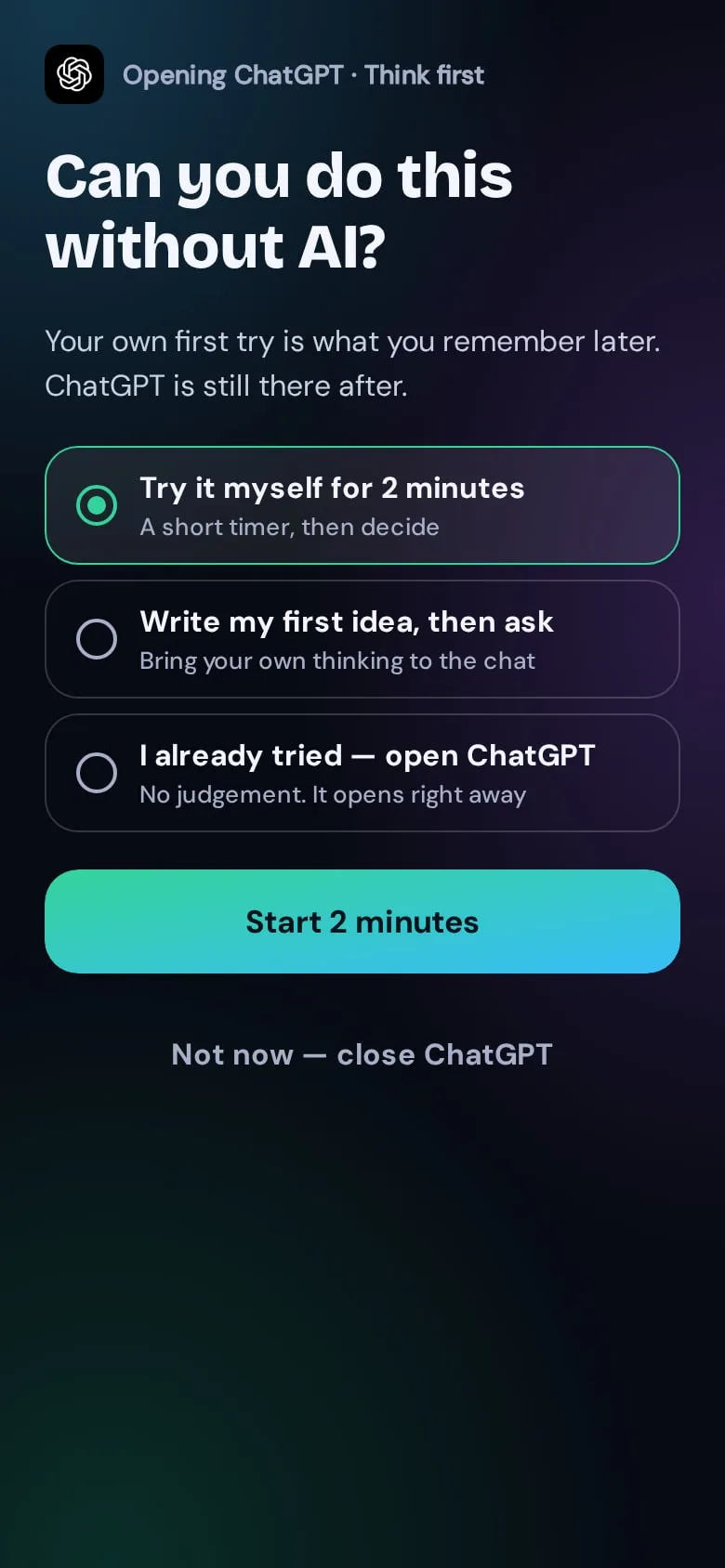
Can you do this without AI?
When you open ChatGPT, Gemini or Claude, ScreenLimit asks one question first. Try it yourself for two minutes, or write down your first idea before you ask. AI stays useful; your own thinking stays sharp.
Students who practised maths with ChatGPT scored 17% worse on the exam once it was taken away.
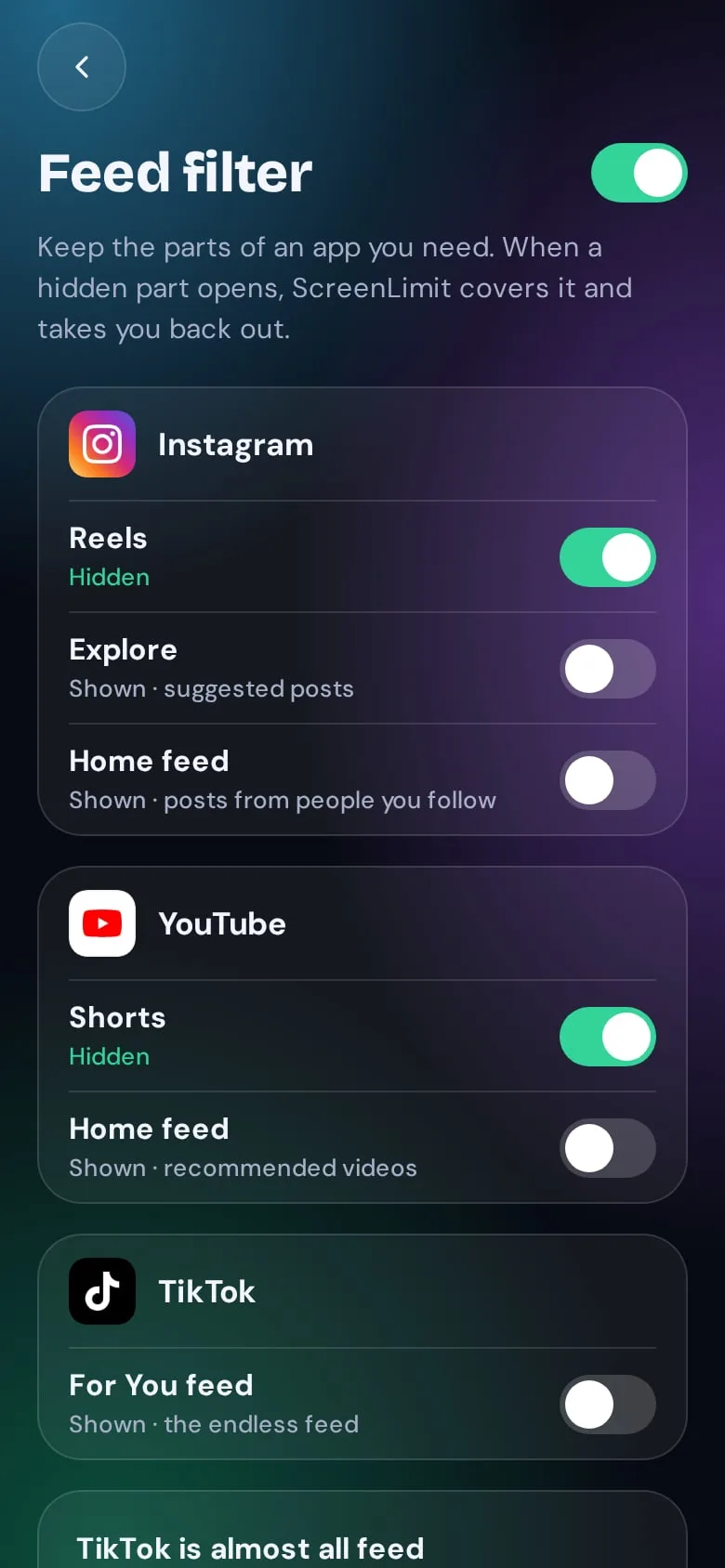
Keep the app. Lose the feed.
Hide Reels, Explore, Shorts and For You. Messages, search and profiles stay, so you can still reply to your friends.
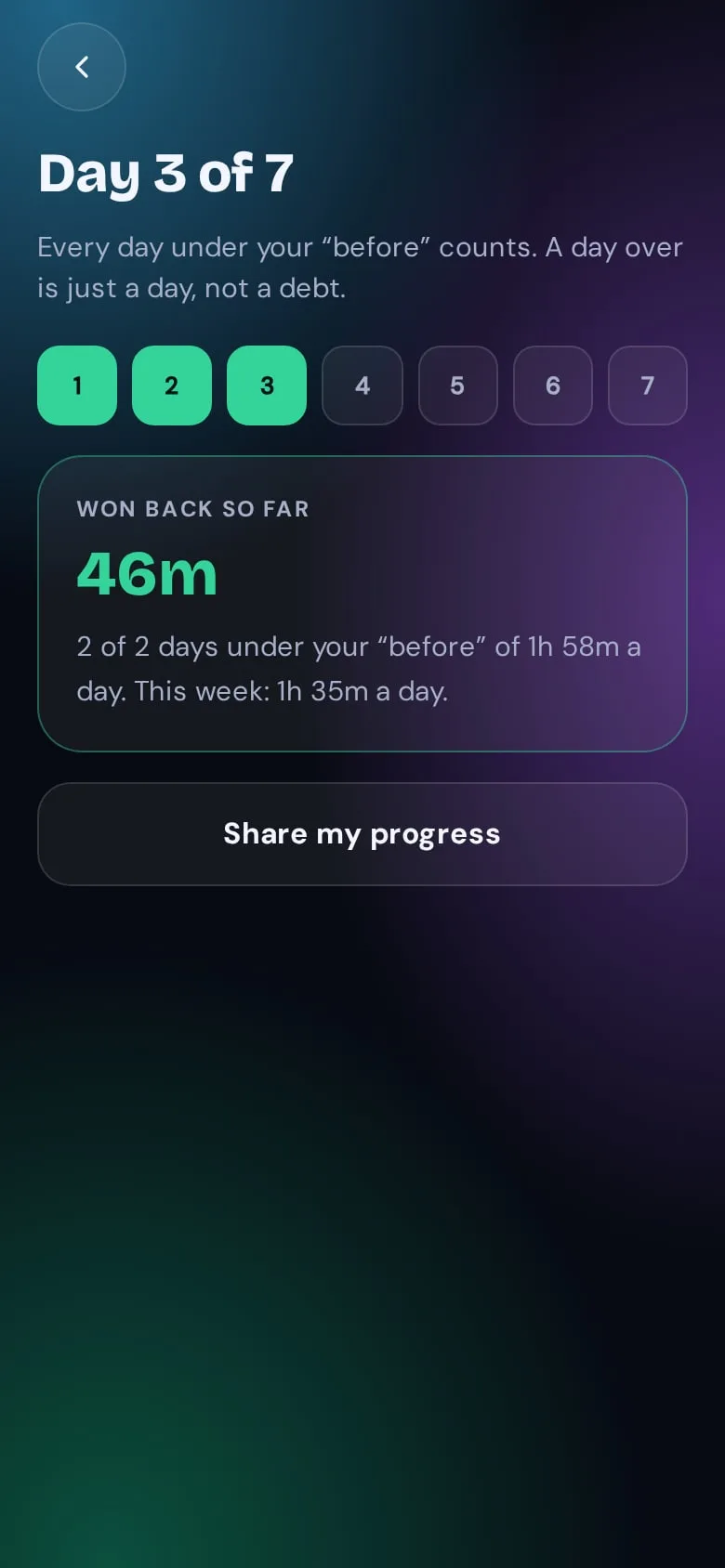
See the time you really win back.
Measured by Android itself, never guessed, and compared with your week before ScreenLimit. Start with a 7-day challenge and see where you land.
- No account needed Install, choose your apps, done.
- Stays on your phone Your usage is never uploaded.
- No ads, no trackers Not in the app. Not on this site.
- Uninstall anytime Your phone stays yours.
How ScreenLimit compares
| Feature | ScreenLimit | Digital Wellbeing | Typical blockers |
|---|---|---|---|
| A pause before an app opens | Yes | Yes* | Varies |
| Choose gentle or strict | Yes | No | Varies |
| Think first for AI apps | Yes | No | No |
| Hide Reels and Shorts, keep the app | Yes | No | Varies |
| Block websites | Yes | No | Yes |
| Time back against your own week before | Yes | No | Varies |
| A pause in the middle of a long scroll | Yes | No | Varies |
| No account needed | Yes | Yes | Varies |
* Android’s built-in pause arrived in 2026. Features of other apps differ; checked on [CHECK DATE]. We only name apps where we can show the source.
Free to start. Premium when you want more.
Free
For good. No card needed.
- Doomscroll limit
- Pauses before 3 apps
- Think first for every AI app
- Your daily limit
- 1 scheduled block
- Focus up to 25 minutes
Premium
7 days free€39.99 a year · €3.33 a month
Or €6.99 a month · Students €19.99 a year
- Your own doomscroll limit, with dimming
- Every app, every block
- Strict mode
- Feed filter
- Websites and AI sites
- Weekly report and all your time back
Early bird: lifetime at the launch price
Join the waitlist and get ScreenLimit Premium for life for €89.99, once. Offer ends [LIFETIME OFFER ENDS].
Built on research, not on guilt.
-
Two weeks without mobile internet improved attention as much as winding back 10 years of age-related decline.
-
About a third of social media use comes from habit and self-control, not free choice.
-
People who could set their own limits in advance used social media noticeably less.
Questions, honestly answered.
Can I still open my apps?
Always. A pause asks, it doesn’t forbid. Only Strict mode is firm, and only when you switch it on. Even then, one emergency unlock a day stays.
What does the Doomscroll limit do?
Scroll for 15 minutes without a break in one of your apps, and a pause opens inside that app. Stop, or carry on for 5 minutes; each next pause is a little longer. After 22:00 it comes after 8 minutes. It measures how far you scroll, never what you see.
Why does it need Accessibility access? Does it read my messages?
It only needs to know which app is opening, so it can step in. It never reads your messages or what you type. Feed filter and website blocking look only at which screen or address is open.
Does my data leave my phone?
No. There is no account and your usage stays on your phone. Payments go through Google Play. Only if you type in your email address yourself do we receive it.
What’s free, and what does Premium cost?
Pauses, Think first, your daily limit, 3 apps and 1 block are free for good. Premium is €39.99 a year with 7 days free, or €6.99 a month.
Is there an iPhone version?
Android comes first. Choose iPhone on the waitlist and we’ll tell you when it’s ready.
Who is it for?
Adults 18+ who want a calmer relationship with their phone. It is not a medical app.
Take back your attention.
Join the waitlist. Early birds get lifetime at the launch price.